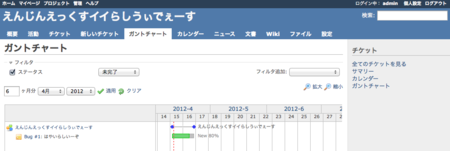
とりあえずやってみる。(nginx/1.0.5)
Install MySQL
sudo aptitude install mysql-server
パスワード入力など
- If this field is left blank, the password will not be changed.
Setting MySQL
mysql -u root -p
#パスワード入力
> set names utf8;
> quit;
my.cnf
sudo vi /etc/mysql/my.cnf
[mysqld]に追加
:
[mysqld]
default-character-set=utf8
skip-character-set-client-handshake
:
Restart MySQL
sudo service mysql restart
Install Redmine
sudo aptitude install redmine-mysql
sudo aptitude install redmine
Install RMagick
sudo aptitude install librmagick-ruby1.8
Install Nginx and Passenger
sudo aptitude install nginx
:
sudo aptitude install libcurl4-openssl-dev
:
sudo gem install passenger
:
sudo passenger-install-nginx-module
なんやかんや言われる。わりと時間かかるここ。
Welcome to the Phusion Passenger Nginx module installer, v3.0.11.

This installer will guide you through the entire installation process. It
shouldn't take more than 5 minutes in total.

Here's what you can expect from the installation process:

 1. This installer will compile and install Nginx with Passenger support.
 2. You'll learn how to configure Passenger in Nginx.
 3. You'll learn how to deploy a Ruby on Rails application.

Don't worry if anything goes wrong. This installer will advise you on how to
solve any problems.

Press Enter to continue, or Ctrl-C to abort.
『1 or 2』どっちと尋ねられる。ここは『1』で。
Enter your choice (1 or 2) or press Ctrl-C to abort:
1
Setting nginx.conf
sudo vi /opt/nginx/conf/nginx.conf
書き換えたり加えたり
user  www-data; # <-?
worker_processes  1;
:
error_log  /var/log/nginx/error.log;
:
pid        /var/run/nginx.pid;
:
    server {
        listen       80;
        server_name  localhost;
        root /usr/share/redmine/public;
        passenger_enabled on;
:
        # comment out
        #location / {
        #    root   html;
        #    index  index.html index.htm;
        #}
:
        #error_page   500 502 503 504  /50x.html;
        #location = /50x.html {
        #    root   html;
        #}
Setting init.d/nginx
sudo vi /etc/init.d/nginx
書き加える
DAEMON=/opt/nginx/sbin/nginx
Start Nginx
sudo /etc/init.d/nginx start
